
Home | Order/Buy | Question? | Plant & Animal Pedigree | Search | Licence agreement

|
Home | Order/Buy | Question? | Plant & Animal Pedigree | Search | Licence agreement |
|
 |
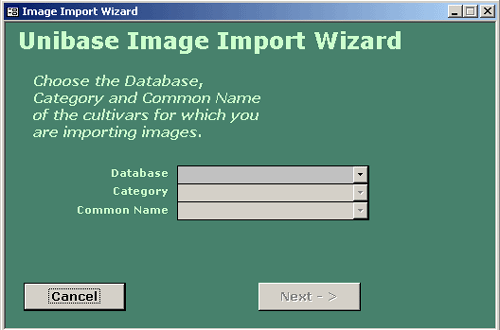
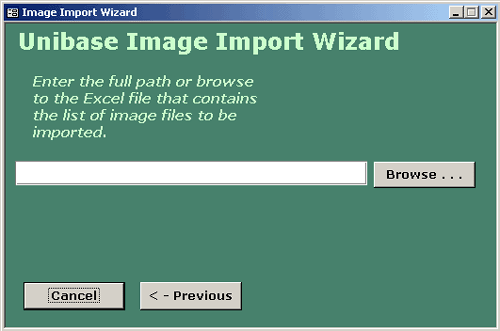
| Unibase Image Import Wizard You also can import your image album along with your data using the build in image option wizard. You must to use the format provided in the file 'IMAGE.XLS'. This file can be found in the Unibase CD directory. To import image data click on the 'Image Import' button on the options screen. On the first screen you are asked to supply the Database, Category and Common Name (image 1) for the image to be imported. On the next screen (image 2) you can either type in or browse to the import file. When you click on 'Finish' your file will be imported. Image 1 Image 2
|
|



 sys
sys
